An introduction to the concepts related to distributed systems.
Overview
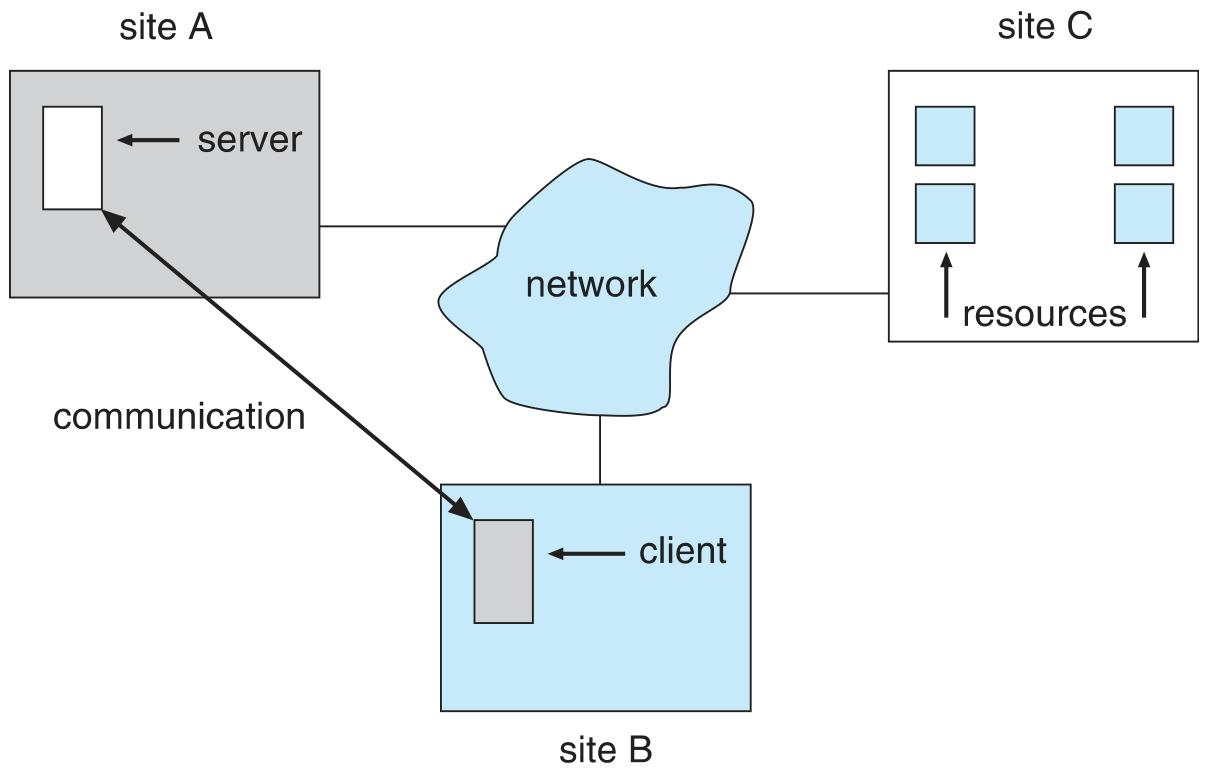
Site is location of the machine, node refers to specific system
Configuration of distributed system: client-server, peer-to-peer, or hybrid
Communication over a network occurs through message passing
Reasons for Distributed Systems
- Resource sharing
- Computation speedup
- Reliability
Network and Distributed Operating Systems
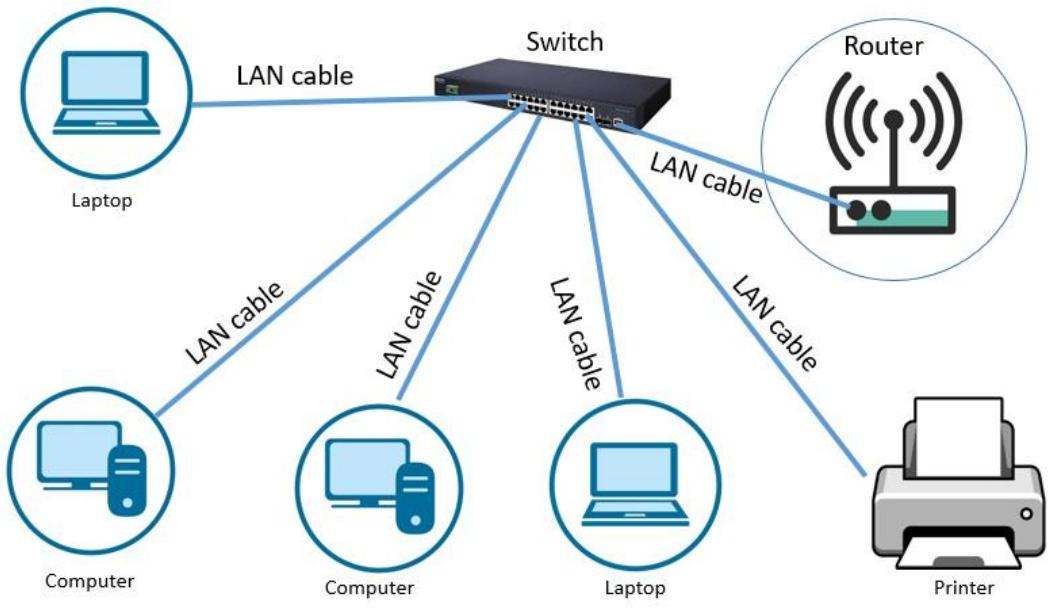
LAN(Local Area Network)
A small-scale local network built on Ethernet. Its components are relatively simple.
WAN(Wide Area Network)
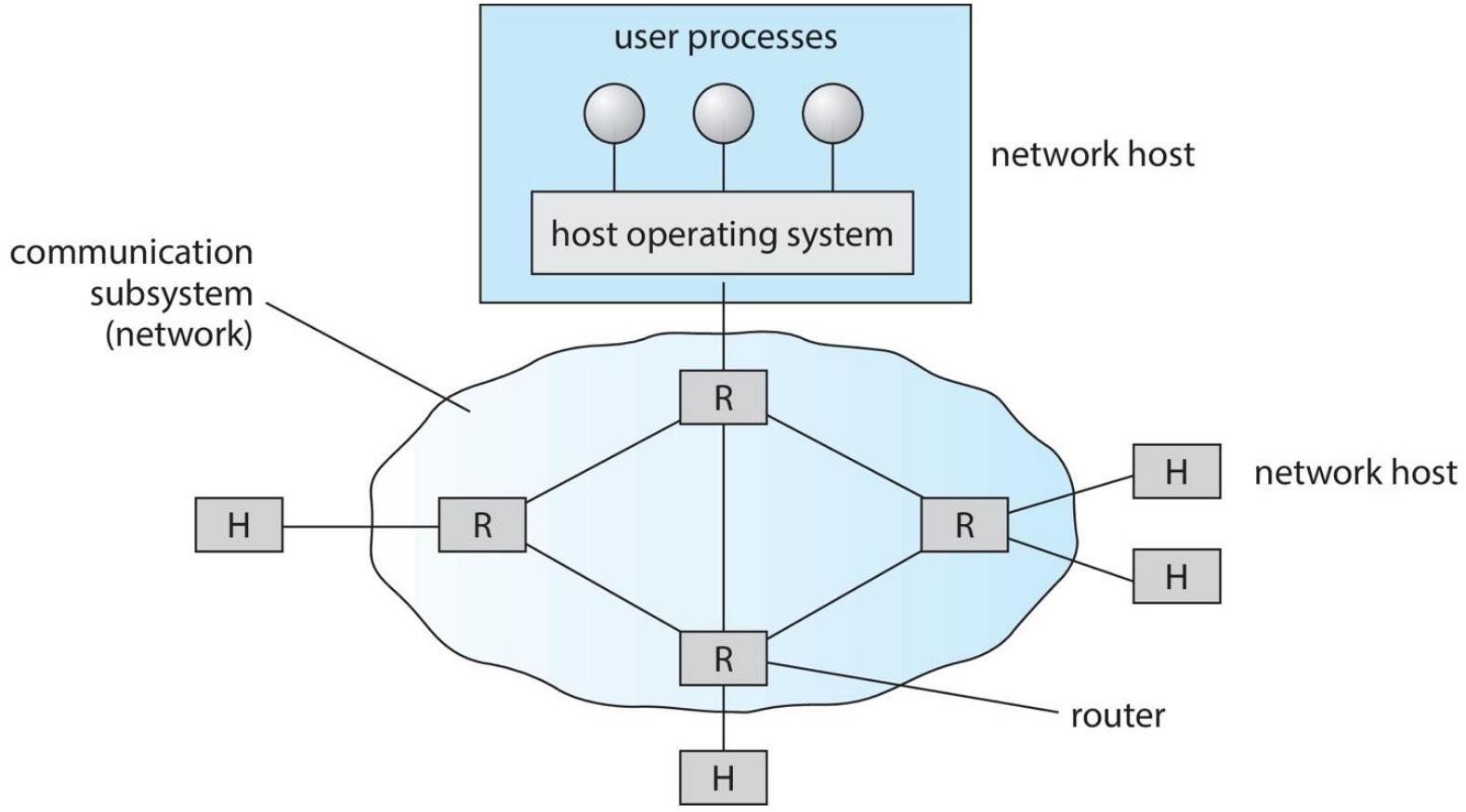
Sites are connected through point-to-point (P2P) links over telephone lines, optical fiber, radio waves, and similar media. Routers play a key role in these connections: they are responsible for forwarding data accurately from one network to another and directing network traffic
e.g. Internet
Network-oriented Operating Systems
Network Operating Systems
Users are aware that multiple machines exist; accessing resources on a different machine requires a specific mechanism, e.g. ssh
Transfer data: FTP
Distributed Operating Systems
Users perceive only a single machine, as if every resource were on that one machine; they don’t need to care about how the resources are distributed
Accessing remote resources works much like accessing local resources. Multiple kinds of resource migration are supported
Provides load balancing, distributing processes sensibly across the nodes of the network
Design Issues of Distributed Systems
Robustness
Hardware failures happen, so a fault-tolerance mechanism is needed
Failure detection: use a heartbeat protocol. For example, once Site A and Site B have established a connection, they exchange “I-am-up” messages at fixed intervals to tell each other they are running normally. If Site A does not receive a message from Site B within the expected time, it first assumes the other side has failed or the message was lost, and then sends an “Are-you-up?” message. If there is still no reply after several attempts, a failure is declared.
But it cannot detect the specific type of failure
Reconfiguration and recovery:
- Link failure
- Site failure
Both the occurrence of a failure and the recovery from it need to be broadcast
Transparency
- User interface transparency: the distributed system should not distinguish between local and remote resources in its user interface.
- Transparent support for user mobility: users can log in to any machine within the distributed system’s environment and see the same interface and resources as in their previous login environment
Scalability
- Admitting resources
- Handling load
- Resource utilization and optimization
Distributed File Systems
The clients, servers, and storage devices of a DFS are spread across the machines of the distributed system. Its key feature is the management of distributed storage devices, with the goal of letting clients use it just like a traditional centralized file system, so users don’t need to care where a file is actually stored.
Architecture models:
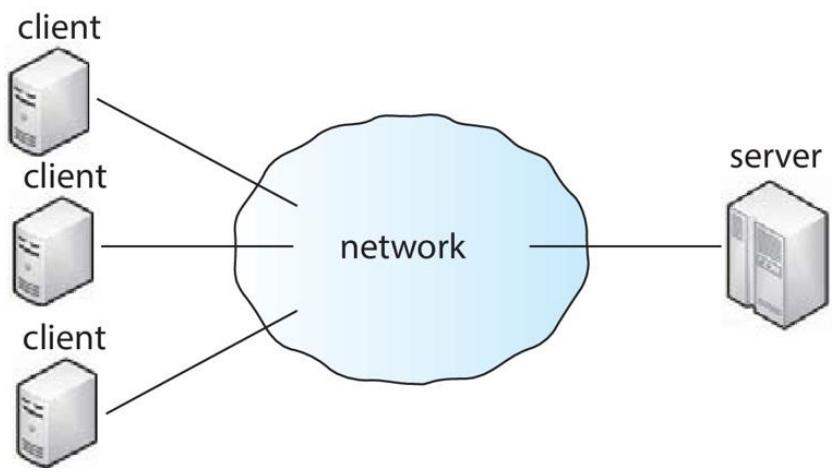
- Client-server model: clients access the DFS server over the network, and the server manages file storage and access permissions
- Cluster-based model: multiple servers form a cluster that jointly manages file storage and access, providing higher performance and reliability
Client-Server Model
The server stores files and their metadata on the storage devices attached to it. When a client needs to access a file, it contacts the server and sends a file request. After the client modifies a file, the data is synchronized. The limitation is that when the server fails, the whole system suffers a single point of failure, and every file access that depends on that server is affected. Moreover, the server becomes a bottleneck for data and metadata requests.
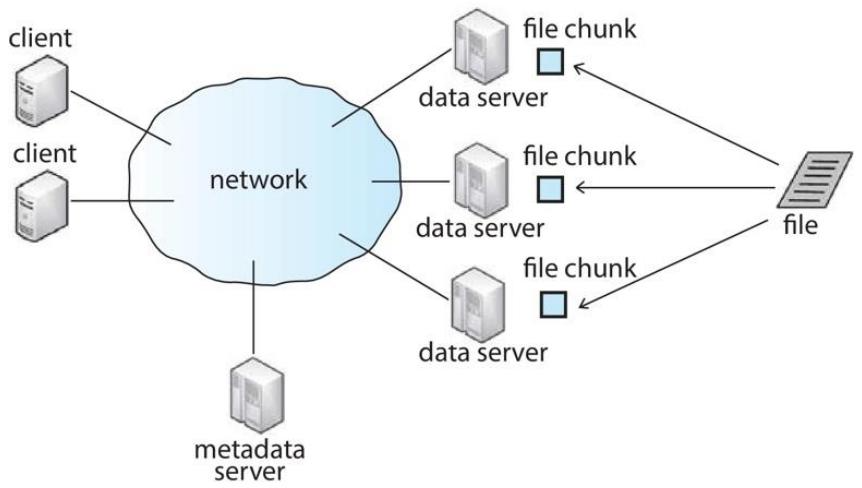
Cluster-based Model
Clients connect to a master metadata server and multiple data servers. The metadata server maintains the mapping between data servers and file chunks, as well as the mapping of the file and directory hierarchy. The data servers store the “chunks” of files, which are portions of a file’s data. Each chunk is replicated n times to improve fault tolerance, ensuring that files remain accessible when some data servers fail, and also speeding up file access
Distributed File System Challenges
Naming and Transparency
A DFS needs to establish a mapping between logical objects (such as file names) and physical objects (where the files are actually stored). Ideally the user wouldn’t need to know where a file is stored; in practice there are different naming structures: naming by a combination of host name and local name, mounting remote directories, and a single global naming structure
e.g.1
server1:/home/user/documents/report.pdf
1
2
3
4
5
6
# Mount the remote NFS share at the local /mnt/remote-docs directory
mount server2:/exports/documents /mnt/remote-docs
# Afterwards it can be accessed through the local path
ls /mnt/remote-docs/
cat /mnt/remote-docs/report.txt1
/project/marketing/presentations/quarterly_report.pptx
Remote File Access
When a user requests access to a remote file, the server storing that file must first be identified before any data can be transferred. Common remote service mechanisms, such as the RPC paradigm, are used to carry out the data transfer. In practice, however, factors such as network latency and bandwidth limits have a significant impact on data transfer. For instance, under poor network conditions a user may have to wait a long time to access a remote file, and files load slowly, severely reducing file access efficiency.
To reduce network traffic, a DFS usually employs a caching mechanism, i.e., recently accessed file data is kept in a local cache, but this leads to cache consistency problems
Cache Consistency
To keep the locally cached data consistent with the master copy, there are two approaches: client-initiated checks and server-initiated handling.
Different systems adopt different strategies. HDFS, for example, only allows append-only writes and permits only one writer per file at a time; this restriction simplifies cache consistency management to some extent. With a single writer, data changes are relatively orderly, making it easier to keep the cached data consistent with the master copy. GFS, on the other hand, supports random writes and concurrent writes; while this offers a more flexible way of writing, it also makes cache consistency far harder to manage, requiring more complex mechanisms such as version control and locking to keep every cached copy consistent with the master file.
Translated from the Chinese original.